Thumbnail Design Workshop: Create great YouTube thumbnails (without a designer)
Learn what makes a great YouTube thumbnail based on timeless design principles—not trends. Then, you'll create custom thumbnails that take less time as your channel grows, without relying on templates.
Get 50% OFFYou spent all that effort on your video but no one clicked. Why?
A self-paced workshop on how to create better YouTube thumbnails. This includes thumbnail breakdowns, design principles, Figma basics, how to use Midjourney, and 3 special bonuses to level up your eye for design.
What's inside
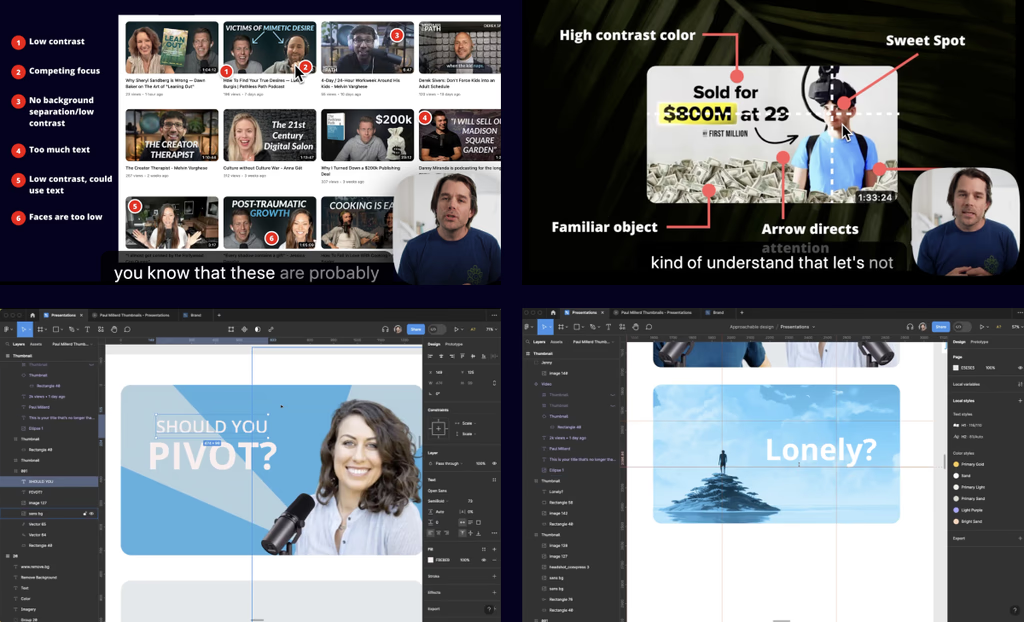
- • Included is a 90 minute masterclass video going over what works and what doesn't.
- • Breaking down YouTube thumbnails from Colin & Samir, Mr. Beast, and Paul Millerd (self published author with 30k books sold)
- • Over-the-shoulder examples using Figma to redesign Paul Millerd's YouTube thumbnails
- • Why designing in Figma vs Photoshop helps you move faster as a non-designer.
- • Q&A covering Midjourney, when to use faces vs regular images, and more.
What You'll Learn
Real Examples
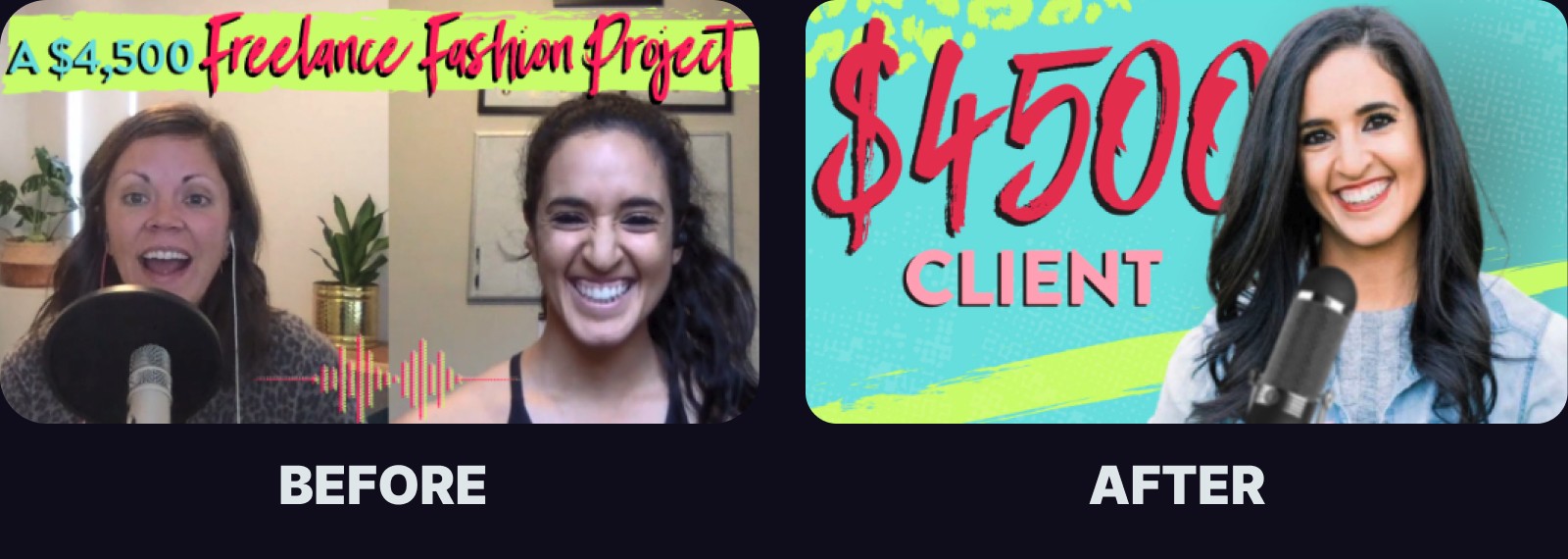
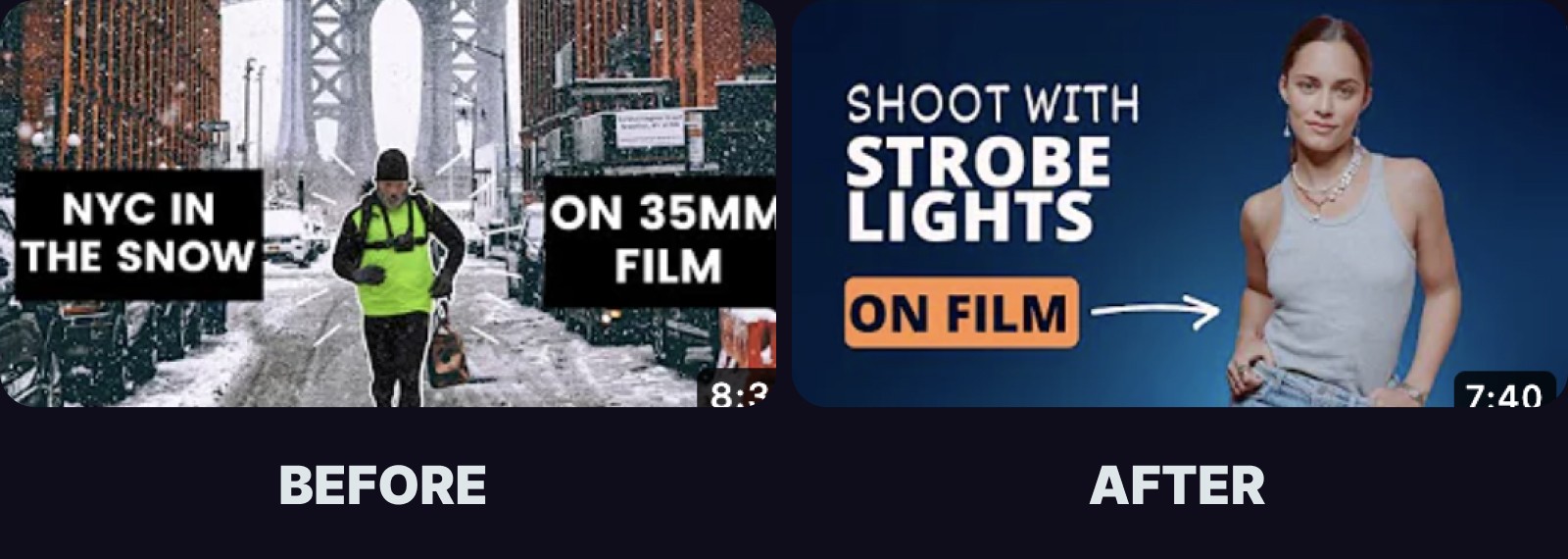
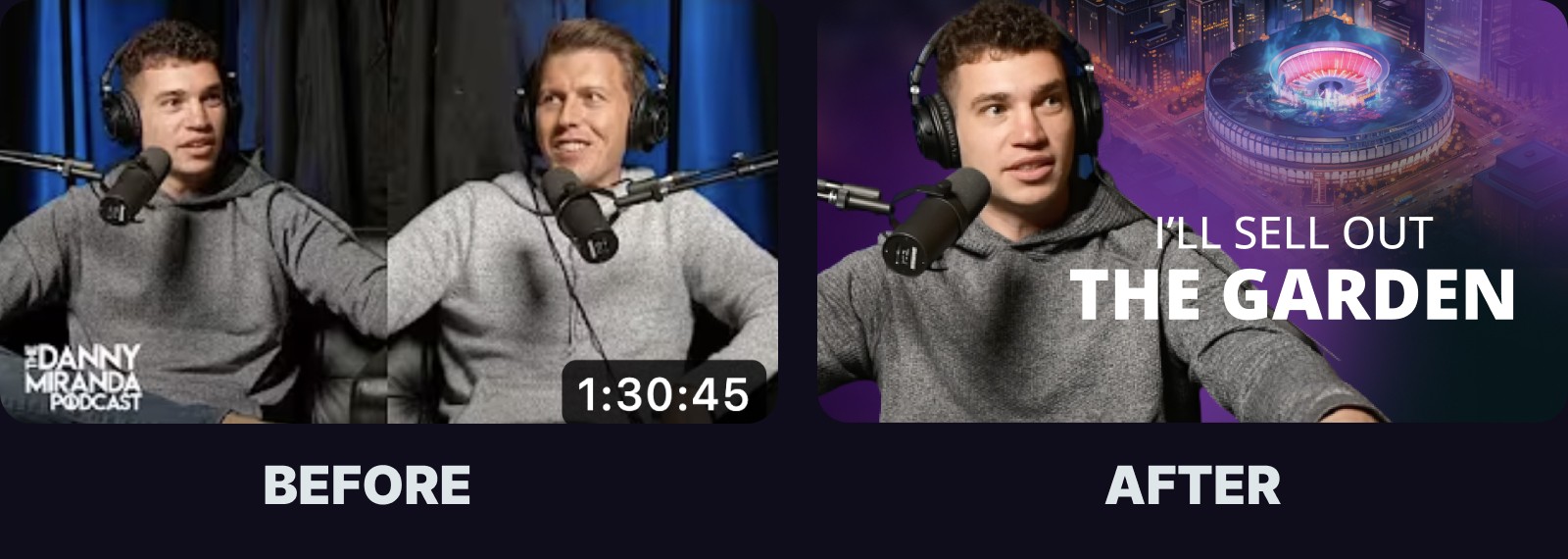
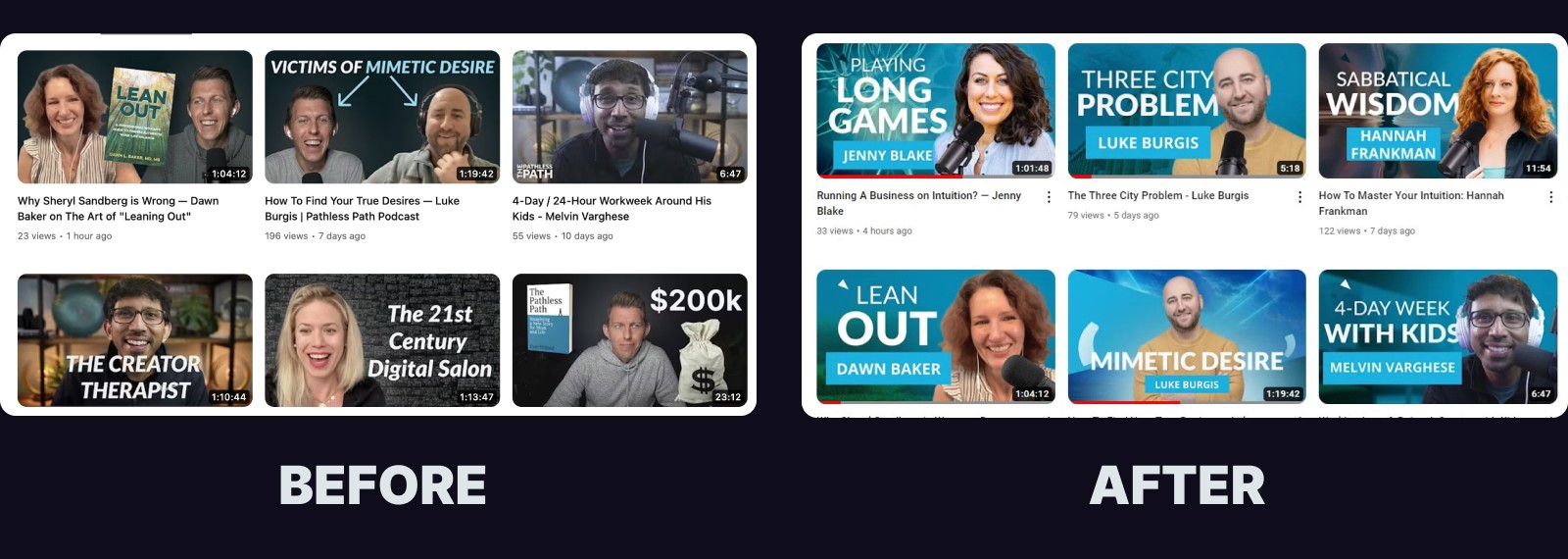

Learn how to use AI tools like Midjourney even if you don't have any images
AI is another tool to have at your disposal to create background images when you don't have anything compelling to use from your video.
Using AI Tools for Thumbnail Design
AI tools can be a game-changer for non-designers looking to create great YouTube thumbnails.
I don't cover this in the YouTube workshop, but here are some alternatives:
- Midjourney: Midjourney is an AI tool that allows you to create images in minutes. You can use it to generate background images, graphics, and even entire thumbnails. This tool is perfect for those moments when you need a quick, high-quality visual without spending hours in design software.
- Visual Electric: Visual Electric is becoming a fast favorite for generating consistent art-directed images.
- Figma: Figma is a versatile design tool that allows you to create and edit thumbnails with ease. It also features AI capabilities that can help generate design ideas, making the creative process more efficient. Figma's collaborative features are also great for getting feedback and making real-time adjustments.
- Canva: Canva is a popular design tool that offers a range of AI-powered features, including a thumbnail generator. With its user-friendly interface and extensive library of templates, Canva makes it easy for anyone to create professional-looking thumbnails, even without prior design experience.
- Tips for using AI tools: When using AI tools, make sure to provide clear instructions and guidelines. This helps the AI generate results that align with your vision. Also, don't be afraid to experiment and try out different options. The beauty of AI tools is their ability to quickly iterate and offer a variety of creative solutions.
What Students Say

Watching Nate work in real-time is incredible — I feel like I took away so many actionable heuristics and insights in such a short space of time. Highly highly recommend!!
Jonny Miller, Founder Nervous System Mastery

Nate is a good instructor because he believes everyone can learn about design and apply it to their daily lives and business. He's clear, earnest, patient and understanding. Showing real world examples and explaining the choices made is especially illuminating.
Reginald Ferguson, Founder New York Fashion Geek

The Youtube thumbnails workshop was very useful, I learned a lot. I particularly liked the concrete tips about creating contrast and the rule of thirds.
Luca Dellana, Author
Watching Nate work in real-time is incredible — I feel like I took away so many actionable heuristics and insights in such a short space of time. Highly highly recommend!!
Jonny Miller, Founder Nervous System Mastery
Nate is a good instructor because he believes everyone can learn about design and apply it to their daily lives and business. He's clear, earnest, patient and understanding. Showing real world examples and explaining the choices made is especially illuminating.
Reginald Ferguson, Founder New York Fashion Geek
The Youtube thumbnails workshop was very useful, I learned a lot. I particularly liked the concrete tips about creating contrast and the rule of thirds.
Luca Dellana, Author

I watched it with a friend and we were buzzing with ideas for how we could improve our own branding throughout. And he gave us some great templates we could start using immediately after, which made making the jump so much more approachable.
Nat Eliason, Writer & Entrepreneur

I attended one of Nate's design workshops and it was a game-changer for me. He is the real deal. His design philosophy + practical approach makes design super simple and accessible. I'm VERY grateful for his teachings.
Michael Gendler, Co-founder Ultraspeaking
If it weren't for him, his design workshops, and newsletter for non-designers, I'd still be stuck working at my local theater or Little Caesars. Thanks to him I started a design studio where I'm earning much more than I was at my former minimum wage jobs.
Irving Beltran, Designer
I watched it with a friend and we were buzzing with ideas for how we could improve our own branding throughout. And he gave us some great templates we could start using immediately after, which made making the jump so much more approachable.
Nat Eliason, Writer & Entrepreneur
I attended one of Nate's design workshops and it was a game-changer for me. He is the real deal. His design philosophy + practical approach makes design super simple and accessible. I'm VERY grateful for his teachings.
Michael Gendler, Co-founder Ultraspeaking
If it weren't for him, his design workshops, and newsletter for non-designers, I'd still be stuck working at my local theater or Little Caesars. Thanks to him I started a design studio where I'm earning much more than I was at my former minimum wage jobs.
Irving Beltran, Designer
Additional Bonuses worth $197
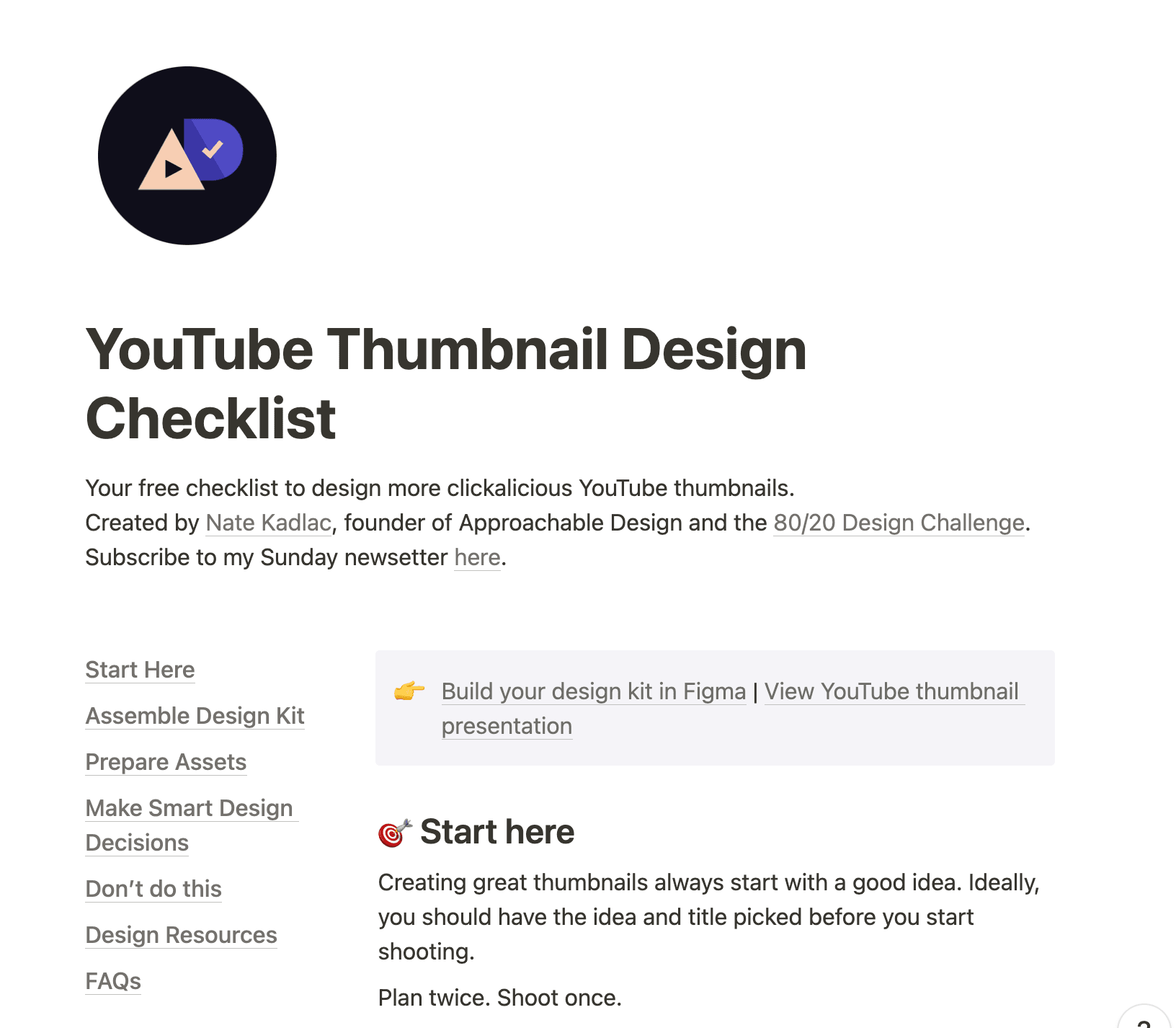
Bonus #1: A YouTube Thumbnail Design checklist
- • 20 steps to better thumbnails
- • Brainstorm better thumbnail ideas
- • How to assemble your design kit
- • Learn which fonts work best
- • How to prepare your design assets
- • How much text to use
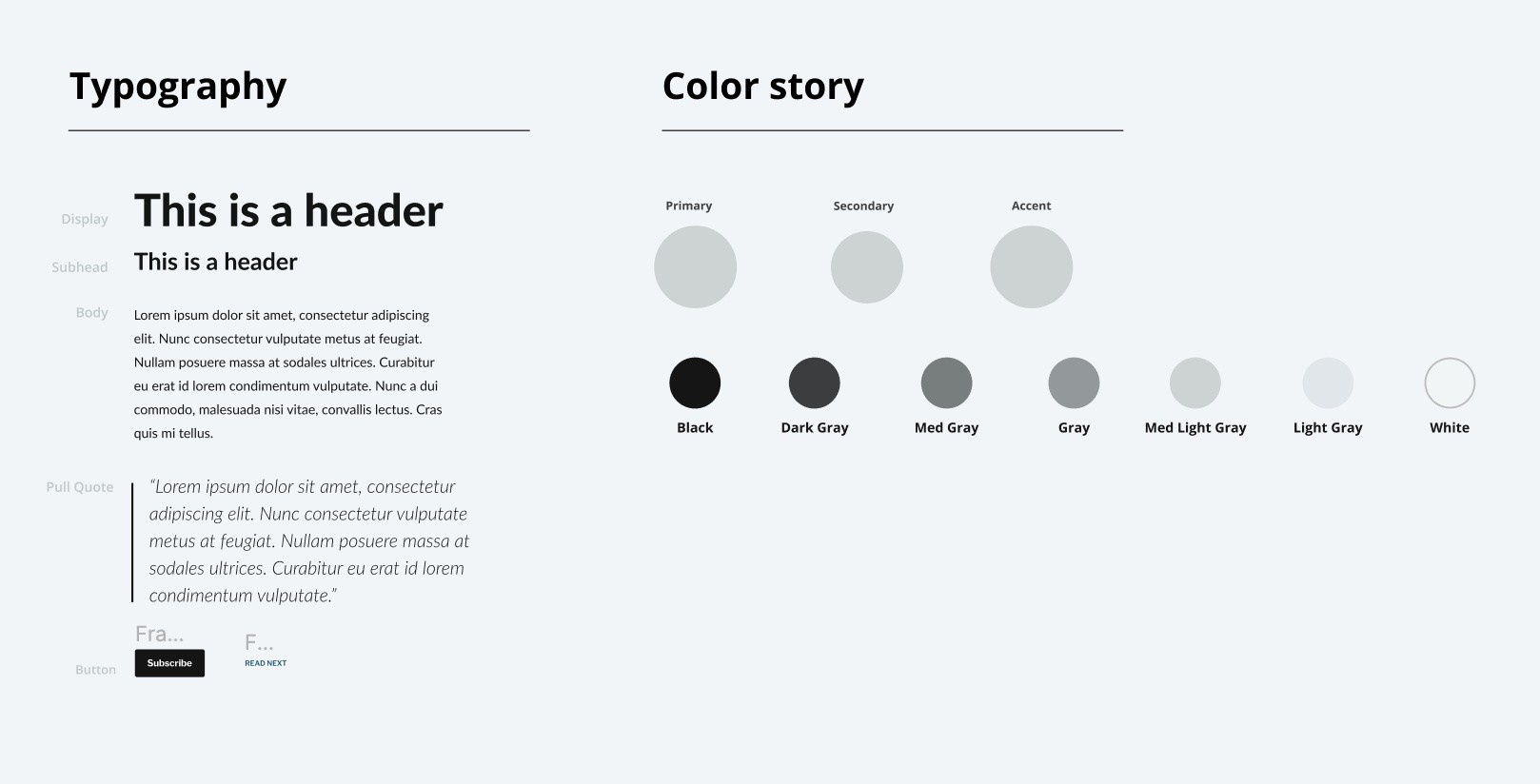
Bonus #2: YouTube Thumbnail Design Kit
- • Use this design kit template so you never have to start from scratch again
- • Add your own colors, fonts, and icons to give yourself a new starting point for every design project
- • 12 unique microphone icons to use for your podcast thumbnails
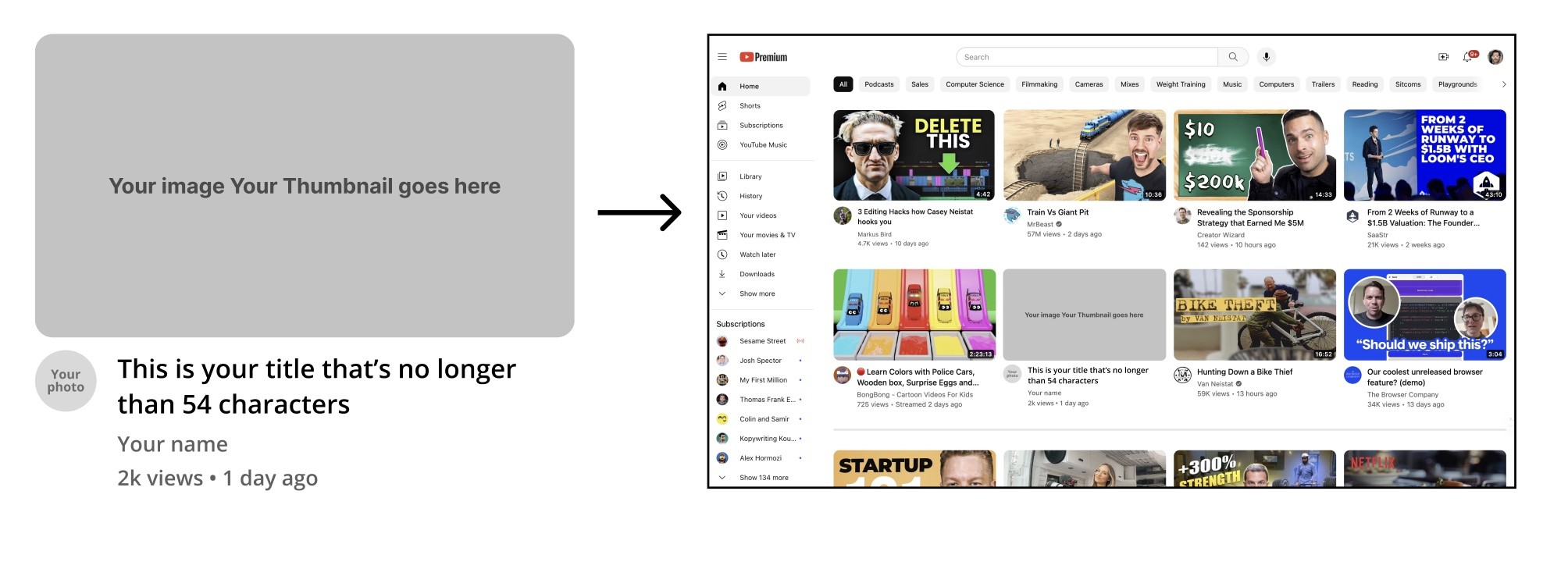
Bonus #3: YouTube Thumbnail Mockup
Test your thumbnail in a YouTube landing page preview, to see what it might look like sitting next to other thumbnails.
 Nate Kadlac, Founder
Who is teaching the workshop?
Hi, I'm Nate!
I am a former creative director and product designer who has helped Fortune 500 companies and early-stage startups grow their companies and reach millions of consumers.
Over my career, I've designed investment decks that have helped founders raise millions of dollars, ads to capture attention for companies like Microsoft, HP, Best Buy, and apps that delight millions of consumers.
Now, I work with creators and entrepreneurs who are building brands and companies that want to stand out against the noise.

I watched it with a friend and we were buzzing with ideas for how we could improve our own branding throughout. And he gave us some great templates we could start using immediately after, which made making the jump so much more approachable.
Nat Eliason
Writer & Entrepreneur
Enroll in the YouTube Thumbnail Masterclass
Or get 1:1 design help with you or on a monthly basis
Get the Masterclass
$49
$100
Instant Access
- 90 min Masterclass + breakdowns, Q&A
- Bonus #1: YouTube Thumbnail Design Checklist
- Bonus #2: YouTube Kit Template
- Bonus #3: YouTube Thumbnail Mockup
Masterclass + 1:1 Consult
$499
Instant Access
- 90 min Masterclass + breakdowns, Q&A
- 1:1 60 min design consult
- Custom YouTube thumbnail template designed live
- All three bonuses included